
🛠️ How to Open a CRT TV Back Cover Safely – Step-by-Step Guide
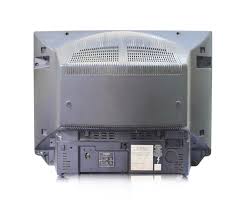
Want to open a CRT TV back cover safely without damaging components? This guide will show you how to remove the back panel of any CRT TV with step-by-step instructions and safety precautions.
⚠️ Safety First: Precautions Before Opening a CRT TV
Before starting, ensure the following: ✅ Unplug the TV and wait at least 30 minutes to discharge residual electricity.
✅ Wear insulated gloves to avoid accidental shocks.
✅ Work in a dry, well-ventilated area with proper lighting.
✅ Use the right tools to prevent damage to components.
📌 Related Post: How to Safely Discharge a CRT TV Capacitor (Internal Link)
🔧 Tools Needed to Open a CRT TV Back Cover
To safely remove the back panel, you will need:
- Phillips-head screwdriver
- Flat-head screwdriver (for prying)
- Plastic pry tool (to avoid scratching)
- Anti-static gloves
- Insulated mat (for safety)
🔹 Step-by-Step Guide to Open a CRT TV Back Cover
🟢 Step 1: Unplug the TV & Prepare the Work Area
1️⃣ Disconnect the power cord from the wall outlet.
2️⃣ Place the TV on a non-conductive surface like a wooden table.
3️⃣ Wear insulated gloves and ensure a static-free environment.
🟢 Step 2: Identify & Remove Screws
🔹 Most CRT TVs have 4 to 6 screws securing the back cover.
🔹 Use a Phillips-head screwdriver to remove them carefully.
🔹 Keep screws in a safe place to avoid losing them.
🟢 Step 3: Carefully Pry Open the Back Cover
🔹 After removing the screws, gently pull the back cover using a flat-head screwdriver or plastic pry tool.
🔹 Some CRT TVs may have hidden clips, so avoid using excessive force.
🔗 External Link: Guide on CRT TV Repair Basics (External Link to a trusted repair guide)
🟢 Step 4: Watch Out for the High-Voltage Circuit
⚡ Caution: Inside a CRT TV, the high-voltage anode cap (connected to the picture tube) stores residual charge. Avoid touching it directly.
📌 Next Step? If you plan to repair or troubleshoot your CRT TV, learn how to safely discharge the high-voltage capacitor before proceeding.
📌 Related Post: How to Safely Discharge a CRT TV Capacitor (Internal Link)
🛠️ Common Issues After Opening a CRT TV Back Panel
🔹 TV won’t turn on after reassembly? Check all internal connections before closing.
🔹 Sparks or buzzing sounds? Possible capacitor issues – learn to identify faulty components.
🔹 Screen flickering? The CRT board might be loose – secure all screws properly.
✅ Conclusion: Safe CRT TV Repair is Possible!
Now you know how to open a CRT TV back cover safely step by step! Always follow safety precautions, avoid direct contact with high-voltage components, and use proper tools to prevent damage.
📌 If you’re new to CRT TV repair, check out our other electronics repair guides for more expert tips! 🚀
🔹 Got Questions? Ask in the comments below! 👇
Good information sir..