
How to Fix CRT TV No Display or Black Screen Issues.
Introduction
CRT TVs are known for their durability, but over time, they may develop issues like no display or a completely black screen. Understanding the root cause and performing systematic troubleshooting can help restore your TV’s functionality. In this guide, we will go through the step-by-step process of diagnosing and fixing CRT TV no display problems.
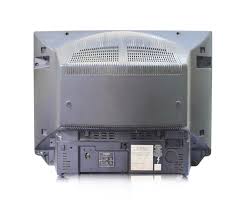
![7-Step Guide to Fix CRT TV No Display or Black Screen [Solve Now]](https://tamiltechnicians.com/wp-content/uploads/2025/03/crt-tv-no-display.jpg)
Focus Keyphrases: CRT TV no display, CRT TV black screen
1. Checking the Power Supply
- Symptom: The CRT TV no display issue occurs even though the TV is turned on, but there’s no picture or backlight.
- Solution: Inspect the power cord, fuse, and mainboard for any visible damage.
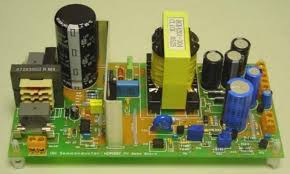
- Use a multimeter to check if the power supply board is delivering the correct voltages.
- Replace any blown fuses or damaged components.
- If the power supply is faulty, consider replacing the entire board.
- Internal Link: CRT TV Power Supply Repair Guide
2. Examining the Flyback Transformer
- Symptom: A faint high-pitched sound but no display.
- Solution: Check the flyback transformer for overheating or damage.
- Measure the output voltage using a multimeter.
- If the flyback transformer is defective, it may cause CRT TV black screen problems.
- Replace the flyback transformer if it is faulty.
- External Link: Flyback Transformer Testing Guide
3. Testing the Horizontal Output Transistor (HOT)
- Symptom: No display and no high-voltage sound.
- Solution: Use a multimeter to test the HOT for short circuits.
- A faulty HOT can prevent the high-voltage circuit from functioning properly, leading to CRT TV no display issues.
- Replace the transistor if faulty and check for associated component failures.
- Also, inspect the surrounding resistors and capacitors for signs of burns or damage.
4. Checking the CRT Filament and Heater Circuit
- Symptom: No glow from the CRT neck.
- Solution: Inspect filament voltage and continuity.
- If no voltage is present, check the heater circuit components and wiring.
- A broken heater circuit can prevent the CRT TV display from illuminating.
- If the filament is burned out, replacing the CRT tube might be necessary.
- Ensure proper voltage supply to the filament for normal operation.
5. Inspecting the Deflection Circuits
- Symptom: CRT TV no display, but the TV has power.
- Solution: Test the horizontal and vertical deflection ICs.
- The deflection circuit ensures proper image rendering on the screen.
- Replace damaged components and ensure proper signal flow.
- Inspect the yoke coils and deflection capacitors for issues.
- A faulty vertical IC may cause a single horizontal line, while a faulty horizontal IC may lead to a CRT TV black screen.
6. Testing Video Signal Pathways
- Symptom: No display but faint sound is present.
- Solution: Verify the video input circuit and video processing ICs.
- Check for cold solder joints and loose connections on the mainboard.
- A defective chroma IC can also lead to video loss while the sound remains active, contributing to a CRT TV black screen problem.
- Ensure proper signal transmission from the tuner to the video amplifier.
- Test the video signal on the neck board to confirm video output.
7. Final Testing and Calibration
- Reassemble the TV and power it on to check for a restored display.
- Adjust screen focus and color balance.
- Test different input sources to ensure proper function.
- Secure all components and perform a final safety check.
- If the issue persists, recheck all previous steps to identify missed faults.
- A prolonged burn-in test can help verify the stability of the repair.
- Make sure there are no underlying causes contributing to CRT TV no display issues.
Conclusion
CRT TV no display issues can often be repaired by systematically diagnosing power, high-voltage, and video signal components. By following these steps, you can successfully restore your TV’s display. If the problem persists, consider consulting a professional technician. Regular maintenance and proper handling of electrical components can prevent many of these failures in the future.
Pingback: CRT TV Distorted Picture? 5Troubleshooting step & solve Tips
Pingback: Fix Low or Distorted Audio in CRT TVs – 7 ultimate Solutions
Pingback: How to Replace Faulty Capacitors in CRT TVs. - Tamil Technicians