
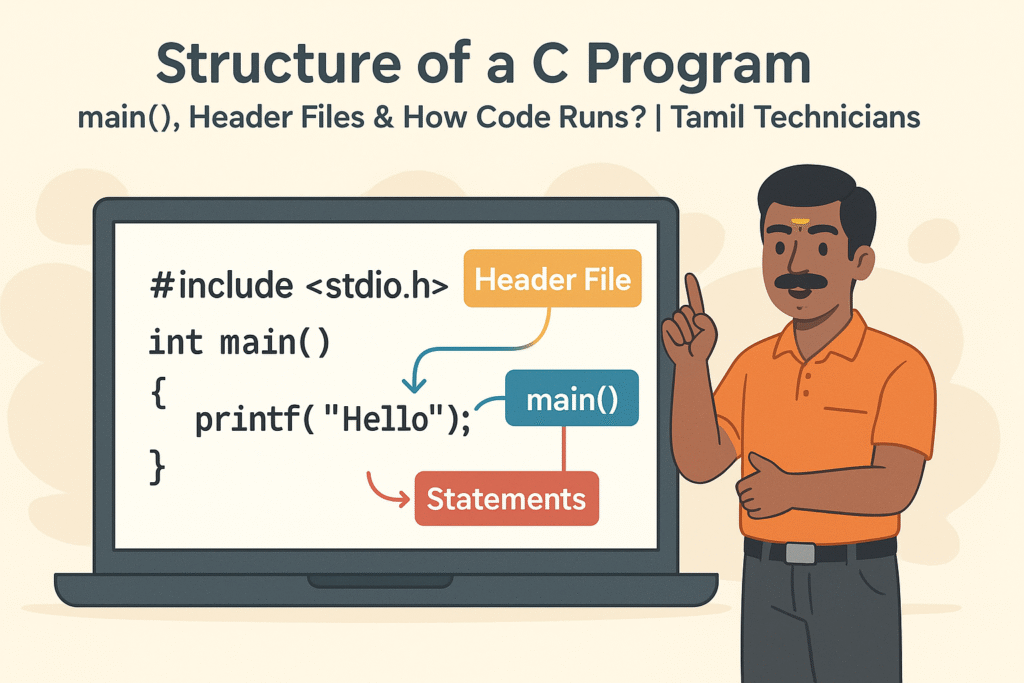
Tamil Technicians – C Programming Course · Lesson 2
Structure of a C Program – main(), Header Files & How Code Runs?
In the previous lesson, we understood what programming is and why C is important.
Now, we will look at the basic skeleton of every C program – header files,
the main() function, braces, statements, and how the C compiler actually runs our code.
Once you understand this structure, any C program will start to look familiar.
main() in the centre, and statements inside braces.
Basic Skeleton of a Simple C Program
Look at this small program:
#include <stdio.h>   // Header file

int main() {           // main function starts
    printf("Hello from Tamil Technicians!\\n");  // statement
    return 0;          // program ended successfully
}
Almost all C programs follow this pattern:
- One or more header files at the top (
#include <stdio.h>). - Exactly one
main()function – the starting point of the program. - Curly braces
{ }to mark the beginning and end ofmain()and other blocks. - One or more statements inside
main()(likeprintf, calculations, etc.). - An optional
return 0;to say “program finished correctly”.
main() function, your C program cannot run.
The compiler will give an error like “undefined reference to main”.
Header Files – Why Do We Need #include <stdio.h>?
A header file is like a “reference book” that tells the compiler about functions and symbols that exist elsewhere.
For example, the function printf() is not defined by you. It is provided by the C standard library.
The declaration of printf() lives in the header file stdio.h.
#include <stdio.h>
When you write this line, you are telling the compiler:
“Please include all declarations related to standard input/output functions like
printf, scanf.”
Common Header Files in C
| Header | Purpose | Example Function |
|---|---|---|
<stdio.h> |
Standard input / output | printf(), scanf() |
<stdlib.h> |
General utilities | malloc(), exit() |
<math.h> |
Math functions | sqrt(), pow() |
<string.h> |
String handling | strlen(), strcpy() |
If you use a library function (like printf, sqrt, etc.),
you must include its correct header file at the top of your program.
The main() Function – Where the Program Starts
For the operating system, main() is the entry point of your C program.
When you run the program, the OS first calls main().
From there, your code starts executing line by line.
Common Forms of main()
int main() {
    // code
    return 0;
}
int main(int argc, char *argv[]) {
// code that uses command-line arguments
return 0;
}For beginners, we usually use the first simple form: int main() { ... }
int?
int means the function returns an integer value to the operating system.
Returning 0 usually means “success”. Non-zero values often mean “error”.
Statements, Semicolons, and Blocks
Inside main(), we write statements – these are the individual instructions
the computer will execute.
- Every complete statement in C ends with a semicolon
;. - A group of statements inside curly braces
{ ... }is called a block.
int main() {
    int a = 10;           // statement 1
    int b = 20;           // statement 2
    int sum = a + b;      // statement 3

    printf("Sum = %d\\n", sum);  // statement 4

    return 0;             // statement 5
}If you miss a semicolon at the end of a statement, the compiler will show an error like “expected ‘;’ before…”. Check line endings carefully.
How Does C Code Run? (Compile & Execute Flow)
When you press “run” or type gcc program.c -o program, many things happen internally.
Understanding this flow will make error messages less scary.
-
Preprocessing
The preprocessor handles lines starting with
#like#include,#define. It expands macros and brings in header file contents. - Compilation The compiler translates your C code (now after preprocessing) into assembly language, then into object code (machine code for individual files).
-
Linking
The linker combines your object code with library code (for functions like
printf) and produces a final executable file (e.g.,a.exeora.out). -
Loading & Execution
When you run the program, the OS loads the executable into memory,
calls
main(), and your instructions start executing line by line.
Example: A Small C Program With All Parts
This program reads two numbers and prints their sum:
#include <stdio.h>   // 1) Header file

int main() {           // 2) main function - program starts here
    int x, y, total;   // 3) variable declarations

    // 4) Input
    printf("Enter two integers: ");
    scanf("%d %d", &x, &y);

    // 5) Process
    total = x + y;

    // 6) Output
    printf("Total = %d\\n", total);

    return 0;          // 7) Program ended successfully
}
If you look carefully, you can clearly see:
- Header file at top.
main()function with braces.- Variables, input, processing, and output statements.
- Comments explaining each step.
Checklist Before Compiling Your Program
- Did you include the correct header files?
- Is there exactly one
main()function? - Are all opening braces
{properly closed with}? - Did you add semicolons
;after each statement? - Are comments properly closed (for
/* */)?
Suggested Featured Image Concept for This Post
When you create the thumbnail for this blog post, you can use an illustration with this idea:
- A laptop screen showing a C program skeleton with highlighted parts:
#include <stdio.h>,int main(), and aprintfline. - Colored labels or callouts around the screen saying “Header File”, “main() – Start”, “Statements”.
- A Tamil technician explaining the code with a pointer/pen near the screen.
- Top text: “Structure of a C Program” and subtitle: “main(), Header Files & How Code Runs?”.
FAQ: Structure of a C Program
1. Can a C program have more than one main() function?
No. The linker needs exactly one main() as the entry point. If there are multiple, you will get an error.
2. Is return 0; mandatory in main()?
In modern compilers, if you forget return 0;, sometimes the compiler will still assume success.
But for good coding practice (and older compilers), always write return 0;.
3. Why does every statement need a semicolon?
In C, the semicolon tells the compiler “this instruction is complete”. Without it, the compiler cannot understand where one statement ends and the next begins.
4. What happens if I forget to include the correct header file?
The compiler may show warnings like “implicit declaration of function” or the program may fail during linking. Always include the proper header for every library function you use.


Comments – Notes Inside Your Code
Comments are notes written for humans (you or other programmers). The compiler ignores them. They help explain what the code is doing.
Using comments is a good habit, especially when you are learning: