
Tamil Technicians – C Programming Course · Lesson 16
Pointers in C – Step-by-Step Visual Explanation for Beginners
When you hear the word pointers in C, it may sound scary at first. Many beginners feel stuck at this chapter. But pointers are not magic – they are just variables that store addresses.
In this step-by-step, visual-style lesson, you will learn:
- What a pointer really is (with a simple house-and-address analogy).
- How & (address-of) and * (dereference) work.
- How to declare, initialize, and safely use pointers.
- How pointers relate to arrays and functions.
- Common pointer mistakes and how to avoid them.
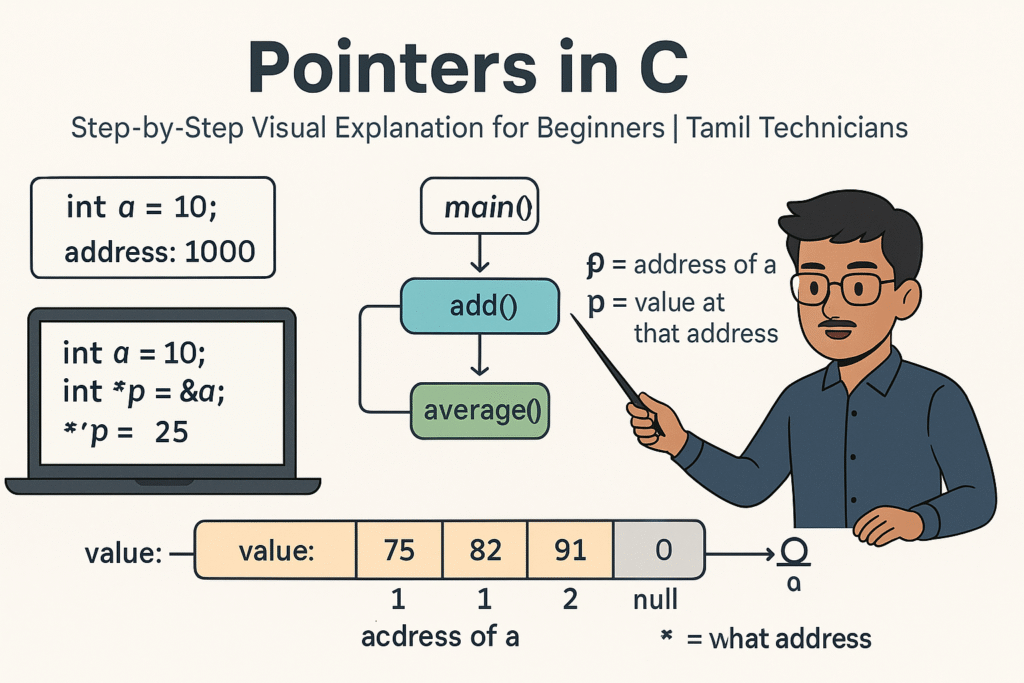
Pointers Intuition – House and Address Analogy
Imagine each variable in your program as a house storing some value inside. Every house has a door number (address).
- Variable → house with some value (e.g., 10 amps, 230 volts).
- Address → door number of that house in memory.
- Pointer → a variable that stores that door number.
A pointer doesn’t store the value directly. It stores the address of a variable that has that value.
Once you have the address, you can go to that house and read or change the value inside. That is what pointers give us in C – indirect access to variables.
How Memory Looks – A Simple Mental Picture
Imagine RAM as a long row of numbered boxes:
Address: 1000   1004   1008   1012   ...
Content: ?? ?? ?? ??- Each address identifies a location in memory.
- C variables are stored at these addresses.
- A pointer stores one of these address values.
0x7ffce53c). For learning, we use simple numbers like 1000, 2000 in diagrams.
Pointer Syntax Basics – &, * and Declaration
1. Address-of operator &
The & operator gives you the address of a variable.
int a = 10;
printf("Value of a = %d\\n", a);
printf("Address of a = %p\\n", &a);   // %p for pointer (address)
2. Pointer declaration *
To declare a pointer to int:
int *p; // p is a pointer to intint– type of data the pointer will point to.*p(in declaration) – means “p is a pointer to int”.
3. Initialization with address
int a = 10;
int *p;

p = &a;   // p now stores the address of a
Now we can say:
p– address ofa.*p– value stored at that address (i.e., value ofa).
4. Dereference operator *
Outside of declarations, * is used to dereference (go to the address and access value).
printf("Value of a = %d\\n", a);
printf("Value via pointer = %d\\n", *p);  // same as a

*p = 20; // change value at address p (i.e., a becomes 20)&a→ address ofa.p→ pointer variable storing some address.*p→ value at the address stored inp.
Your First Pointer Example – Step-by-Step
#include <stdio.h>

int main() {
    int a = 10;
    int *p;

    p = &a;

    printf("a  = %d\\n", a);
    printf("p  = %p\\n", (void*)p);
    printf("*p = %d\\n", *p);

    *p = 25;  // change value of a via pointer

    printf("After *p = 25, a = %d\\n", a);
    return 0;
}
Visual Explanation
Imagine memory like this:
a:   [ 10 ]  at address 1000
p: [1000] at address 2000- When you write
p = &a;, you store 1000 inp. - When you write
*p, C goes to address 1000 and reads the value 10. - When you write
*p = 25;, C goes to 1000 and writes 25 there (soabecomes 25).
NULL Pointer – Pointer That Points to Nowhere
A pointer does not always point to a valid variable. When it is not pointing anywhere, we set it to NULL.
#include <stdio.h>
#include <stddef.h>   // for NULL

int main() {
    int *p = NULL;

    if (p == NULL) {
        printf("Pointer p is NULL (not pointing anywhere).\\n");
    }

    // *p = 10;   // DO NOT do this when p is NULL
    return 0;
}*p when p == NULL).
It will crash the program (segmentation fault / access violation).
Different Types of Pointers
Pointers come in different types depending on the data they point to:
int    *pi;   // pointer to int
float  *pf;   // pointer to float
char   *pc;   // pointer to char
double *pd;   // pointer to double
Why types? Because when we do pointer arithmetic (coming soon) or dereference, C needs to know how many bytes to move and how to interpret them.
Pointers and Arrays – Very Close Friends
An array name can act like a pointer to its first element.
int a[5] = {10, 20, 30, 40, 50};

printf("a      = %p\\n", (void*)a);     // address of first element
printf("&a[0]  = %p\\n", (void*)&a[0]); // same address
printf("a[0]  = %d\\n", a[0]);        // 10
printf("*a    = %d\\n", *a);          // also 10
So for arrays:
a→ address ofa[0].*a→ value ofa[0].
a is not a variable; it is a constant pointer (cannot be reassigned).
But int *p is a pointer variable that you can change: p++, p = &a[2], etc.
Traversing an array using pointer
#include <stdio.h>

int main() {
    int a[5] = {10, 20, 30, 40, 50};
    int *p = a;  // same as &a[0]
    int i;

    for (i = 0; i < 5; i++) {
        printf("%d ", *(p + i));  // pointer arithmetic
    }
    printf("\\n");
    return 0;
}
Pointer Arithmetic – Moving Through Memory
When you do p + 1 for a pointer to int, C moves to the next int in memory.
If int is 4 bytes, p + 1 actually adds 4 to the address.
int a[3] = {10, 20, 30};
int *p = a;   // address of a[0]

printf("%d\\n", *p);       // 10 (a[0])
printf("%d\\n", *(p + 1)); // 20 (a[1])
printf("%d\\n", *(p + 2)); // 30 (a[2])
If p is a pointer to type T, then p + 1 moves by sizeof(T) bytes.
Pointer arithmetic is powerful for walking through arrays, but be careful not to go outside the array bounds.
Pointers and Functions – Changing Values in Caller
Pointers are often used with functions when we want the function to modify variables in the calling function. We saw examples in “Call by Value vs Call by Reference”, but here’s one more visual example.
Function to set a value using pointer
#include <stdio.h>

void setToZero(int *p) {
    *p = 0;   // change value at given address
}

int main() {
    int x = 42;
    printf("Before: x = %d\\n", x);

    setToZero(&x);   // pass address of x

    printf("After:  x = %d\\n", x);
    return 0;
}
Visual idea: setToZero receives the house door number of x.
It goes to that house and changes the value inside to 0.
Pointer to Pointer – A Quick Glimpse
You can also have pointers that point to other pointers. This is called a pointer to pointer.
int a = 10;
int *p = &a;    // pointer to int
int **pp = &p;   // pointer to pointer to int

printf("a   = %d\\n", a);
printf("*p  = %d\\n", *p);      // a
printf("**pp = %d\\n", **pp);   // a (via pp)
For beginners, you don’t need to go deep into this right away. Just remember:
* and & can be stacked, but the concept is the same – addresses pointing to other addresses.
Common Pointer Mistakes (And How to Avoid Them)
-
Uninitialized pointers:
Declaring
int *p;and using*pbefore settingpto a valid address. -
Dereferencing NULL:
Doing
*pwhenp == NULL. -
Wrong & in scanf:
For example,
scanf("%d", x);instead ofscanf("%d", &x);. -
Going out of array bounds:
Doing
*(p + i)wheniis outside valid index range. -
Mixing up p and *p:
Printing
pwhen you wanted value (*p), or assigning topwhen you wanted*p.
Pointers Learning Checklist
- I can explain in simple words what a pointer is.
- I understand
&gives the address, and*gives the value at that address. - I can write a basic program with
int a,int *p,p = &a,*p = .... - I know that arrays and pointers are closely related.
- I understand why a pointer must always hold a valid address (or NULL).
- I can read a simple pointer-based function and predict its effect on caller variables.
Suggested Featured Image Prompt
Use this in your AI image generator for the TamilTechnicians.com thumbnail:
“Flat modern 16:9 illustration on a light background. On the left, a big box labeled `int a = 10;` represents a variable in memory with ‘value: 10’ and a small tag ‘address: 1000’. On the right, a smaller box labeled `int *p;` shows `p` storing the value `1000`, and an arrow goes from `p` to the `a` box. Above the arrow, small labels ‘& = address of a’ and ‘*p = value at that address’. A laptop screen below shows short C code: `int a = 10; int *p = &a; *p = 25;` with `*p = 25;` highlighted. A South Indian / Tamil technician character stands next to the diagram explaining it with a pointer stick. At the top, bold title text: ‘Pointers in C’ and smaller subtitle: ‘Step-by-Step Visual Explanation for Beginners | Tamil Technicians’. Clean vector style, minimal colors, educational, high quality.”
FAQ: Pointers in C for Beginners
1. Why do we need pointers in C?
Pointers allow you to work directly with memory addresses. This gives you powerful abilities: pass large data structures efficiently to functions, modify values in other functions, work with dynamic memory, implement data structures like linked lists, and interact with hardware.
2. Are pointers only for advanced programmers?
No. You don’t need very advanced pointer tricks for beginner-level programs, but understanding basic pointers is essential in C. Many real-world C programs (embedded systems, drivers, OS code) use pointers heavily. Learning them slowly with simple examples makes them approachable.
3. What is the difference between p and *p?
p is the pointer variable itself; it stores an address.
*p is the value stored at the address inside p.
Remember: & goes from variable to address, * goes from address to value.
4. How do I overcome fear of pointers?
Practice with small, clear examples. Draw memory boxes on paper: variables, addresses, and arrows for pointers. Step through programs line by line and track how values change. Over time, your brain will build an intuition and pointers will feel natural.

