
Tamil Technicians – C Programming Course · Lesson 9
Break, Continue & goto in C – When to Use and When to Avoid?
In the previous lesson of this C course, we learned about loops:
for, while and do-while.
Loops already give you a lot of control. But sometimes, you need
extra power to:
- Stop the loop immediately when a condition is met.
- Skip only the current iteration and move to the next one.
- Jump out from deeply nested blocks (rare, but possible).
For this, C provides jump statements: break,
continue and goto.
In this lesson you will learn:
- How
breakworks in loops andswitch. - How
continuecan skip iterations cleanly. - What
gotoactually does and why most modern C programmers avoid it. - Clear guidelines: when to use and when to avoid these statements.
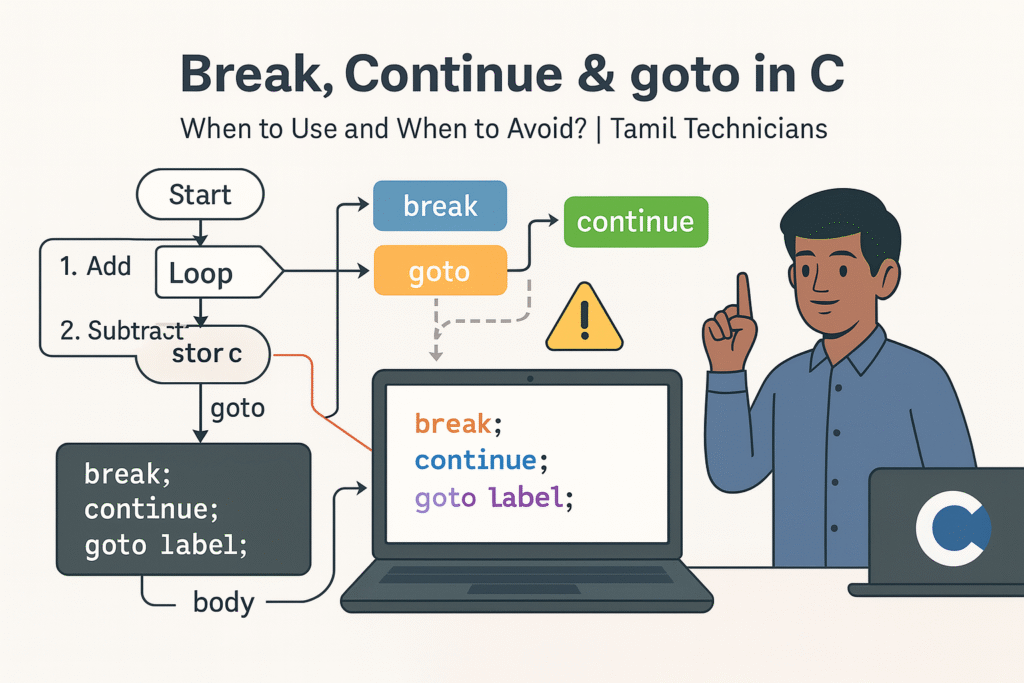
Jump Statements in C – Big Picture
C has several jump statements that change the normal flow of execution:
break– exits the nearest enclosing loop or switch.continue– skips the remaining body of the loop and goes to the next iteration.goto– jumps to a labelled statement in the same function.return– exits from a function (we will study more deeply along with functions).
Used correctly, jump statements make your code simpler. Used badly, they can make your code very hard to read and maintain.
Always try to keep the program flow predictable.
Use break and continue where they clearly improve readability.
Avoid goto unless you have a very good reason.
The break Statement in C
break is used to exit immediately from:
- the nearest
forloop - the nearest
whileordo-whileloop - a
switchstatement
Syntax
break;Example – Stop Loop When Condition Met
Find the first multiple of 7 between 1 and 100:
#include <stdio.h>

int main() {
    int i;
    for (i = 1; i <= 100; i++) {
        if (i % 7 == 0) {
            printf("First multiple of 7 = %d\\n", i);
            break;  // exit loop immediately
        }
    }
    printf("Loop finished.\\n");
    return 0;
}
Once i becomes 7, we print it and exit the for loop using break.
There is no need to check further numbers.
Example – break Inside switch (Recap)
switch (choice) {
    case 1:
        printf("Start\\n");
        break;    // prevent fall-through
    case 2:
        printf("Stop\\n");
        break;
    default:
        printf("Invalid choice\\n");
}switch, break is almost always needed at the end
of each case to prevent executing the next case accidentally.
Technician Example – Fault Search
Suppose you are scanning error codes in an array and want to stop when you find the first critical fault.
int faults[] = {1, 0, 2, 3, 0, 4};  // 3 = critical
int n = 6;
int i;
int foundIndex = -1;

for (i = 0; i < n; i++) {
    if (faults[i] == 3) {
        foundIndex = i;
        break;        // exit as soon as critical fault is found
    }
}
Here break makes the loop efficient and easy to understand:
“scan until you find critical, then stop”.
The continue Statement in C
continue is used to skip the rest of the current iteration
and move directly to the next iteration of the loop.
Syntax
continue;Example – Print Only Even Numbers
int i;
for (i = 1; i <= 10; i++) {
    if (i % 2 != 0) {
        continue;  // skip odd numbers
    }
    printf("%d\\n", i);
}
Output: 2 4 6 8 10
Example – Skip Invalid Sensor Readings
Imagine reading 10 sensor values, but values less than 0 are invalid and should not be processed.
int i;
float value;

for (i = 1; i <= 10; i++) {
    printf("Enter reading %d: ", i);
    scanf("%f", &value);

    if (value < 0) {
        printf("Invalid reading, skipping...\\n");
        continue;      // go to next reading
    }

    // process valid value
    printf("Processing value %.2f\\n", value);
}
Use continue when you want to ignore some special cases
and keep the loop flow simple, instead of nesting many if blocks.
break vs continue – What Is the Difference?
| Aspect | break |
continue |
|---|---|---|
| Effect | Exits the loop or switch completely. | Skips remaining code in the loop body and jumps to the next iteration. |
| Used in | Loops and switch | Loops only |
| Typical use case | Stop search early; exit menu; exit when error occurs. | Skip invalid or special cases; process only selected data. |
| After execution | Control goes to first statement after loop/switch. | Control goes to loop update step (for for) or condition check (for while/do-while). |
break and continue in Nested Loops
When loops are nested (loop inside another loop), break and continue
affect only the innermost loop where they appear.
Example – Break Inner Loop Only
int row, col;

for (row = 1; row <= 3; row++) {
    for (col = 1; col <= 5; col++) {
        if (col == 3) {
            break;   // exits only the inner loop
        }
        printf("(%d,%d) ", row, col);
    }
    printf("\\n");
}
If you need to break out of multiple levels of loops, you usually:
- Use a flag variable to signal that you want to exit, or
- Refactor code into a function and use
return, or - (Rarely) use
gototo jump to a label after the loops.
The goto Statement in C
The goto statement provides an unconditional jump
from one point in a function to another point labelled with a name.
Syntax
goto label_name;
/* ... some code ... */
label_name:
    // statements here
Both the goto and the label must be inside the same function.
goto can easily turn your program into “spaghetti code” – hard to read, hard to debug, hard to maintain.
That’s why most modern coding standards say: avoid goto if possible.
Simple goto Example (Not Recommended Style)
#include <stdio.h>

int main() {
    int x = 0;

start:
    printf("x = %d\\n", x);
    x++;
    if (x < 5) {
        goto start;      // jump back to label
    }

    printf("Finished.\\n");
    return 0;
}
This program prints x from 0 to 4 using goto.
But this is exactly what loops are for. A for or while
loop would be much clearer. This is an example of when not to use goto.
When goto Might Be Used (Advanced / Rare Cases)
Although avoided in beginner programs, goto still appears sometimes in:
- Low-level C code (embedded systems, OS kernels).
- Error handling with multiple cleanup steps.
- Breaking out of deeply nested loops plus cleanup.
Example – Error Handling with Cleanup
Consider a function that opens multiple resources and needs to release them properly if something fails in the middle. This is a simplified pattern:
int init_system() {
    int status = 0;

    status = init_module1();
    if (status != 0) {
        goto error_module1;
    }

    status = init_module2();
    if (status != 0) {
        goto error_module2;
    }

    status = init_module3();
    if (status != 0) {
        goto error_module3;
    }

    // success
    return 0;

error_module3:
    cleanup_module2();
error_module2:
    cleanup_module1();
error_module1:
    return -1;
}
Here, goto is used to jump to the correct cleanup block depending on
where the error happened. This avoids repeating cleanup code many times.
Still, this is an advanced style and not required for beginners.
goto as:
“exists, but avoid it unless you fully understand better alternatives.”
When to Use & When to Avoid break, continue & goto
Good Uses
- break – exit early from loop when search condition is met.
- break – exit menu when user chooses “Exit”.
- continue – skip invalid readings or unwanted values in a loop.
- continue – focus on main logic by jumping over special cases.
- goto – rare, controlled error handling in advanced C projects.
To Avoid / Be Careful
- Using
gototo implement loops instead offor/while. - Using many
gotolabels that jump all over a large function. - Using
breakorcontinuein too many places, making loop logic confusing. - Using
gototo jump into the middle of another control structure (very hard to read).
For 99% of beginner and intermediate programs:
use break and continue carefully, and just don’t use goto.
You will still write excellent C programs.
Practice Tasks (With break, continue & goto)
-
Prime Number Check:
Use a loop and
breakto check whether a number is prime. Stop checking divisors as soon as you find one. -
Skip Negatives:
Read 10 integers in a loop. Use
continueto skip negative numbers and only add positive numbers to a sum. -
Menu with Exit:
Create a calculator menu using a
do-whileloop andswitch. Usebreakto exitswitchand a condition to exit the loop. -
Search in 2D Table:
Use nested loops to search a value in a 2D array.
Use
breakand a flag variable to exit both loops when found. -
Optional Advanced:
In a small function that sets up 2 resources (like two files or two devices),
practice writing error cleanup code using labels and
goto. Then rewrite the same function withoutgotousingif
Jump Statement Safety Checklist
- Is
breakexiting only the loop/switch you intend? - Is
continuecausing any important code to be skipped accidentally? - Are you using
gotoonly in very limited, controlled scenarios? - Would a loop or a separate function be clearer than a
goto? - Can you explain your loop flow to another person easily? If not, simplify.
Suggested Featured Image Prompt
Use this prompt in your image generation tool (DALL·E, etc.) for this article:
“Flat modern 16:9 illustration on a clean light background. Three paths come out of a simple C loop diagram: one path labeled ‘break’ exits the loop box completely, another path labeled ‘continue’ loops back to the condition arrow, and a third zig-zag arrow labeled ‘goto’ jumps to a label icon at the bottom of the screen. On a laptop screen, short C code is visible with `break;`, `continue;` and `goto label;` highlighted. A South Indian / Tamil technician character stands beside the diagram with a caution sign near the word ‘goto’. At the top, bold title text: ‘Break, Continue & goto in C’ and smaller subtitle: ‘When to Use and When to Avoid? | Tamil Technicians’. Clean vector style, minimal colors, educational and high quality.”
FAQ: break, continue & goto in C
1. Is goto completely banned in C?
No, it is part of the C language and still used in some low-level
or system code. But in normal application and beginner programs,
it is strongly recommended to avoid goto because it
makes control flow harder to understand.
2. Can break exit multiple nested loops at once?
No. A single break only exits the innermost loop
or switch that contains it. To exit multiple loops, you can use a flag variable,
a function return, or carefully structured code (and in rare cases, goto).
3. Should I prefer break/continue or extra if-else blocks?
It depends on readability. Often a single break or continue
makes the logic simpler (for example: “if invalid then continue”).
But if you use them too many times, the loop becomes hard to follow.
Always choose the version that is easier to read.
4. Does continue work inside switch?
continue is meaningful only inside loops. Inside a switch
that is not inside a loop, continue is not allowed.
Inside a switch that is inside a loop, continue
refers to the loop, not the switch.

