
Tamil Technicians – C Programming Course · Storage Classes & Variable Lifetime
Storage Classes in C – auto, static, extern, register (Lifetime & Scope)
In C programming, variables are not all equal. Even if they have the same type (like int),
they can behave very differently depending on where they are declared and
which storage class they use.
In this lesson, we will understand the four main storage classes in C: auto, static, extern and register, along with:
- Scope – where the variable is visible in the code.
- Lifetime – how long the variable exists in memory.
- Default initial value – what value it gets if we don’t initialize it.
- Linkage – whether it is visible across multiple files (for bigger projects).
1. High Level View – Scope, Lifetime & Storage Class
Before going into each keyword, let’s clarify a few important terms:
- Scope – the region of the program where the name is known (e.g., inside a block, inside a file, or across files).
- Lifetime – how long the variable exists in memory (until block ends, or for entire program run).
- Storage class – tells the compiler where to store the variable, how long to keep it and what its default value is.
C gives us four main storage class specifiers:
auto– default for local (block) variables.static– keep value between function calls, or limit scope of globals.extern– reference a global variable defined in another file.register– request storage in CPU register (historical/optimization hint).
2. auto – The Default Local Variable Storage Class
The auto storage class is automatically applied to local variables declared inside a function
(or a block) when you don’t specify any other storage class.
Example: normal local variable (implicitly auto)
#include <stdio.h>

void demo() {
    int x = 10;        // same as: auto int x = 10;
    printf("x = %d\\n", x);
}

int main() {
    demo();
    return 0;
}
You almost never write auto explicitly because it’s the default:
auto int x = 10; // legal, but rarely usedScope, lifetime and default value of auto variables
| Property | auto (local) variable |
|---|---|
| Where declared | Inside a function or a block. |
| Scope | Only inside that block/function. |
| Lifetime | Created when the block is entered, destroyed when the block exits. |
| Default initial value | Garbage (undefined) if not initialized by the programmer. |
| Storage | Usually on the stack. |
3. static (local) – Remember Value Between Function Calls
The static storage class does two different things depending on where it is used.
First, we’ll see the local static variable case inside a function.
Example: static local variable vs normal local variable
#include <stdio.h>

void normalCounter() {
    int count = 0;       // auto / local
    count++;
    printf("normalCounter: %d\\n", count);
}

void staticCounter() {
    static int count = 0;  // static local
    count++;
    printf("staticCounter: %d\\n", count);
}

int main() {
    int i;

    for (i = 0; i < 3; i++) {
        normalCounter();
    }

    for (i = 0; i < 3; i++) {
        staticCounter();
    }

    return 0;
}
Typical output:
normalCounter: 1
normalCounter: 1
normalCounter: 1

staticCounter: 1
staticCounter: 2
staticCounter: 3
Explanation:
- normalCounter:
countis auto; it is created fresh each time the function is called, so it always starts at 0 and becomes 1. - staticCounter:
countis static; it is created only once, retains its value between calls, and keeps incrementing.
Scope, lifetime and default value of static local variables
| Property | static (local) variable |
|---|---|
| Where declared | Inside a function or block, using static. |
| Scope | Only inside that function/block (cannot be used outside). |
| Lifetime | Exists for the entire run of the program (not destroyed at function exit). |
| Default initial value | Automatically initialized to 0 if you don’t set it explicitly. |
| Storage | Usually stored in a special data segment (not on the stack). |
4. static (global) – Limit Visibility to This File Only
When static is used with a global variable or a function (outside all functions),
it changes the linkage: the variable or function becomes file-local.
Global variable without static
int gCounter = 0; // global, external linkage (visible from other files)Global variable with static
static int gCounter = 0; // global, internal linkage (visible only in this file)In bigger projects with multiple C files, this is important for controlling what is visible outside the file, similar to putting some functions as “private” to that file.
| Property | Global without static | Global with static |
|---|---|---|
| Scope (C file) | All functions in all files (if declared with extern). | Only within the same .c file. |
| Lifetime | Entire program run. | Entire program run. |
| Default value | 0 if not explicitly initialized. | 0 if not explicitly initialized. |
| Linkage | External linkage. | Internal linkage. |
5. extern – Using Global Variables Across Multiple Files
The extern keyword is used to declare a global variable that is
defined in some other file.
extern does not create storage; it only tells the compiler “this variable exists somewhere
else, and I want to use it here.”
Example with two files (conceptual)
File: globals.c
int totalDevices = 0;       // definition (storage allocated here)
float siteVoltage = 415.0f; // definition
File: main.c
#include <stdio.h>

// declare that these variables exist somewhere else
extern int totalDevices;
extern float siteVoltage;

int main() {
    printf("Devices: %d\\n", totalDevices);
    printf("Site voltage: %.1f V\\n", siteVoltage);
    return 0;
}
When the program is linked, main.c and globals.c are combined, and the
extern declarations refer to the actual definitions in globals.c.
Common mistakes with extern
-
Writing
extern int x = 5;in multiple files – this becomes a definition; you must have only one definition. - Forgetting to provide a real definition somewhere – leading to linker errors like “undefined reference to x”.
6. register – Requesting CPU Register Storage
The register storage class is a hint to the compiler that a variable will be used very often,
so it may be beneficial to keep it in a CPU register for faster access.
void sum() {
    register int i;
    int total = 0;

    for (i = 0; i < 1000; i++) {
        total += i;
    }
}
Important points:
- Modern compilers are smart enough to decide register usage on their own, so
registeris often ignored. - You cannot take the address of a variable declared as
register(e.g.,&iis not allowed) because it might not be in memory. registervariables are like auto variables in scope and lifetime: local to the block, destroyed when the block exits.
7. Summary Table – auto vs static vs extern vs register
| Storage Class | Typical Place | Scope | Lifetime | Default Value | Notes |
|---|---|---|---|---|---|
auto |
Local variables inside functions. | Block/function only. | Created on entry, destroyed on exit. | Garbage (undefined) if not initialized. | Default for locals. Usually on stack. |
static (local) |
Local variables inside functions with static keyword. |
Block/function only. | Entire program run. | 0 if not initialized. | Retains value between function calls. |
static (global) |
File-level variables with static. |
Only within that .c file. | Entire program run. | 0 if not initialized. | Internal linkage, file-local “global”. |
extern |
Declarations of global vars defined elsewhere. | All files where declared + linked. | Entire program run (for the defined variable). | Depends on definition. | No storage allocated; just a reference. |
register |
Local variables inside functions. | Block/function only. | Created on entry, destroyed on exit. | Garbage (undefined) if not initialized. | Hint to compiler; may live in CPU register. |
8. Real Use Cases for Storage Classes (Technician-Style Examples)
8.1 static local – counting function calls
Suppose you have a function that logs sensor faults. You want to know how many times it has been called without using a global variable.
void logFault(const char *msg) {
    static int faultCount = 0;   // remembers count between calls
    faultCount++;

    printf("FAULT %d: %s\\n", faultCount, msg);
}
Every time logFault is called, faultCount increases and keeps its value.
8.2 static global – file-local configuration
In a file handling device configuration, you may want to keep some global data private to that file:
/* device_config.c */

static int currentProfileId = 0;   // visible only inside this file

void setProfile(int id) {
    currentProfileId = id;
}

int getProfile() {
    return currentProfileId;
}
Here, other files can call setProfile and getProfile but cannot directly access
currentProfileId. This is good encapsulation.
8.3 extern – sharing device count across files
device_data.c:
int totalDevices = 0; // definitionmain.c:
extern int totalDevices;  // declaration

int main() {
    totalDevices = 34;   // set total devices in the system
    // ...
    return 0;
}
Now both device_data.c and main.c can share the same global count.
9. Common Mistakes with Storage Classes
- Assuming auto variables start at 0: They don’t – they usually hold garbage values. Always initialize local variables.
-
Overusing global variables:
Too many global variables (with or without
extern) makes code hard to maintain and debug. - Using static when you really need dynamic: Static local variables keep values between calls. This can cause hidden state that’s hard to test.
-
Relying on register for performance:
Modern compilers are better than human guesses. Use
registerrarely, if at all. -
Multiple definitions with extern:
Only one source file should define a global; other files should just declare it with
extern.
10. Learning Checklist – Storage Classes in C
- I can explain the difference between scope and lifetime of a variable.
- I know that local variables without any storage class keyword are auto by default.
- I understand that static local variables retain their values between function calls.
- I can use static with global variables to restrict their visibility to a single file.
- I know how extern helps share global variables across multiple files.
- I understand that register is an optimization hint and may be ignored by the compiler.
- I can choose the correct storage class based on where and how long a variable should live.
Suggested Featured Image Prompt
Use this prompt in your AI image generator for the thumbnail of this blog post:
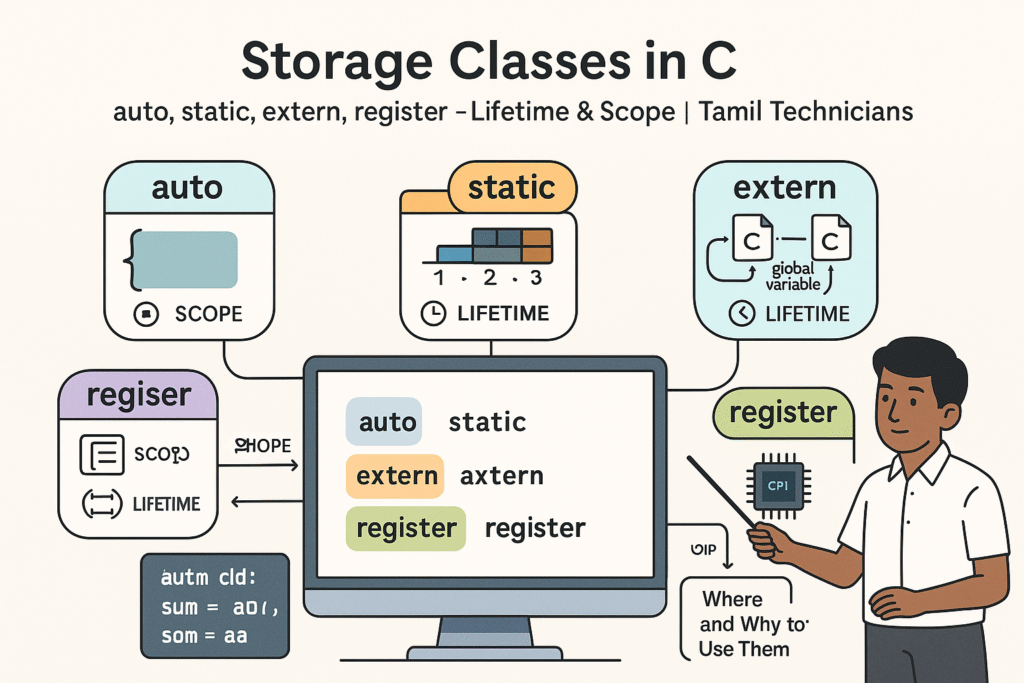
“Flat modern 16:9 illustration on a light background. In the center, a computer screen shows a small C code snippet with four highlighted keywords: `auto`, `static`, `extern`, and `register`. Around the screen, four labeled sections appear: one bubble for ‘auto’ showing a local variable inside a function block, one for ‘static’ showing a bar that persists across multiple function calls, one for ‘extern’ showing a global variable being shared between two C files, and one for ‘register’ showing a CPU chip icon with a small variable label inside it. Little timeline and scope icons (like a clock for lifetime and a bracket for scope) appear next to each bubble. A South Indian / Tamil technician character points at the screen with a pointer stick. At the top, bold title text: ‘Storage Classes in C’ and smaller subtitle: ‘auto, static, extern, register | Lifetime & Scope | Tamil Technicians’. Clean vector style, minimal colors, educational, high quality.”
FAQ: Storage Classes in C
1. Is it necessary to write auto for local variables?
No. Local variables inside a function are auto by default. Writing auto int x; is legal but
rarely done in real code. Most programmers simply write int x;.
2. When should I use static local variables?
Use static local variables when a function needs to remember some information between calls (like counters, previous values, or cached results) and you don’t want to use global variables. Be careful not to overuse them, as hidden state can make testing harder.
3. What is the difference between static and extern for global variables?
A global variable defined without static has external linkage and can be accessed from other files via
extern. A global variable defined with static has internal linkage and is visible only
within that one C file. Both exist for the entire duration of the program.
4. Does register really make my program faster?
On modern compilers, not necessarily. Compilers perform complex optimizations and usually ignore
the register hint or treat it as just a suggestion. It is better to write clear code and
let the compiler decide which variables belong in registers.

