
Tamil Technicians – C Programming Course · Lesson 10
Arrays in C – 1D Array Basics with Practical Examples (Marks, Bills, Readings)
In earlier lessons, we worked mostly with single variables:
int marks;, float amount;, char grade; and so on.
But real programs rarely work with just one value. You often need to handle a
list of similar values:
- Marks of 5 subjects.
- Daily sales amount for 30 days.
- Voltage readings collected every minute.
Instead of creating many separate variables like marks1, marks2,
marks3…, C gives us a powerful tool:
arrays.
In this lesson, we will fully understand basic 1D arrays in C using
practical examples that make sense for technicians: marks, bills and readings.
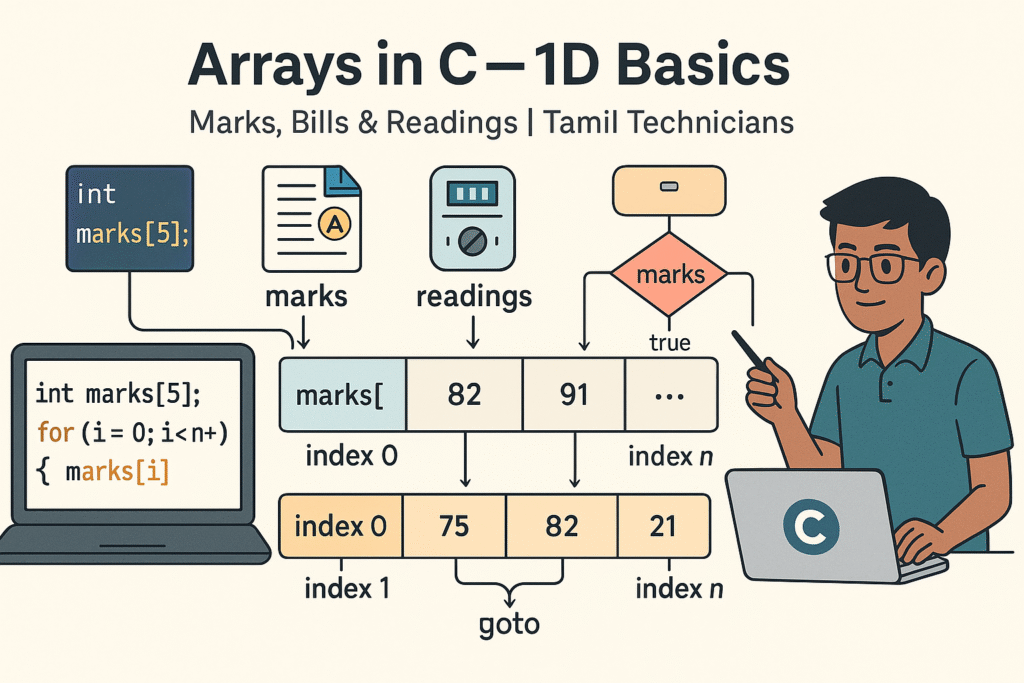
What Is an Array in C?
An array is a collection of fixed number of elements of the same data type, stored in continuous memory locations.
You can think of an array like a row of numbered boxes on a shelf:
- Each box can store one value.
- All boxes are of the same “size type” (e.g., all
intor allfloat). - Boxes are identified by their index (position number).
Instead of having 5 separate variables:
int m1, m2, m3, m4, m5;
we can have:
int marks[5];
which is one array holding 5 integer marks.
Why Do We Need Arrays?
Without arrays, handling multiple values becomes messy and error-prone. Arrays give us:
- Cleaner code – one name, many values:
marks[0],marks[1], … - Easy to loop – we can use
forloops to process all elements. - Scalability – changing from 5 to 50 elements is just changing one number.
- Better memory structure – continuous memory helps performance and simpler logic.
Technician examples where arrays are natural:
- Store 24 hourly temperature readings:
float temp[24]; - Store 30 days power consumption readings:
float units[30]; - Store multiple customer bills in a day:
float billAmount[100];
Declaring a 1D Array in C
Basic syntax:
data_type array_name[size];Examples
int marks[5];        // 5 integers for marks
float readings[10];   // 10 floating-point readings
char grades[50]; // 50 characters0, 1, 2, 3, 4.
Accessing marks[5] is invalid (out of range).
Indexing Visual
| Index | marks[index] | Meaning |
|---|---|---|
| 0 | marks[0] | 1st subject mark |
| 1 | marks[1] | 2nd subject mark |
| 2 | marks[2] | 3rd subject mark |
| 3 | marks[3] | 4th subject mark |
| 4 | marks[4] | 5th subject mark |
Initializing Arrays (Giving Initial Values)
You can give values to arrays in different ways.
1. Initialization at Declaration
int marks[5] = {80, 75, 90, 60, 88};
float prices[3] = {12.5f, 99.9f, 45.0f};
If you provide fewer values, the remaining elements are set to 0 automatically.
int a[5] = {1, 2}; // becomes {1, 2, 0, 0, 0}2. Letting the Compiler Count Elements
int marks[] = {80, 75, 90, 60, 88}; // size becomes 5 automatically3. Assigning Values Later (Using Loops)
int marks[5];
int i;

for (i = 0; i < 5; i++) {
    printf("Enter mark for subject %d: ", i + 1);
    scanf("%d", &marks[i]);
}
For user input, it is very common to combine arrays with for loops:
one loop to read values, another loop to process or display them.
Example 1: Student Marks Using Arrays
Let’s create a simple program to read marks of N subjects, and then calculate:
- Total marks.
- Average marks.
- Highest mark.
#include <stdio.h>

int main() {
    int n, i;
    int marks[100];      // enough space for up to 100 subjects
    int total = 0;
    int max;

    printf("Enter number of subjects: ");
    scanf("%d", &n);

    if (n > 100 || n <= 0) {
        printf("Invalid number of subjects.\\n");
        return 0;
    }

    // Input marks
    for (i = 0; i < n; i++) {
        printf("Enter mark for subject %d: ", i + 1);
        scanf("%d", &marks[i]);
    }

    // Calculate total and find max
    max = marks[0];
    for (i = 0; i < n; i++) {
        total += marks[i];
        if (marks[i] > max) {
            max = marks[i];
        }
    }

    printf("\\nTotal = %d\\n", total);
    printf("Average = %.2f\\n", (float)total / n);
    printf("Highest mark = %d\\n", max);

    return 0;
}
This example shows a very common use of arrays:
- Store multiple related values (marks).
- Process them using loops (sum, max, average).
Example 2: Shop Bills Using Arrays
Consider a small shop where you enter the bill amount for each customer. At the end of the day, you want to know:
- Total sales.
- Average bill amount.
- Number of bills above a certain value (e.g., high-value customers).
#include <stdio.h>

int main() {
    int n, i;
    float bills[200];     // max 200 customers
    float total = 0.0f;
    int highCount = 0;
    float limit;

    printf("Enter number of customers today: ");
    scanf("%d", &n);

    if (n <= 0 || n > 200) {
        printf("Invalid number of customers.\\n");
        return 0;
    }

    printf("Enter high value limit (e.g. 1000): ");
    scanf("%f", &limit);

    // Read bill amounts
    for (i = 0; i < n; i++) {
        printf("Enter bill amount for customer %d: ", i + 1);
        scanf("%f", &bills[i]);
        total += bills[i];

        if (bills[i] >= limit) {
            highCount++;
        }
    }

    printf("\\nTotal sales = %.2f\\n", total);
    printf("Average bill = %.2f\\n", total / n);
    printf("Bills above %.2f = %d\\n", limit, highCount);

    return 0;
}Example 3: Sensor or Meter Readings Array
Technicians often deal with periodic readings: voltage, current, temperature, energy units, etc. Let’s say we log 10 voltage readings and want to:
- Print all readings.
- Find minimum & maximum.
- Check how many readings are outside a safe range.
#include <stdio.h>

int main() {
    float v[10];
    int i;
    float min, max;
    int outOfRangeCount = 0;
    float lowLimit = 210.0f;
    float highLimit = 240.0f;

    printf("Enter 10 voltage readings: \\n");
    for (i = 0; i < 10; i++) {
        printf("Reading %d: ", i + 1);
        scanf("%f", &v[i]);
    }

    min = max = v[0];

    for (i = 0; i < 10; i++) {
        if (v[i] < min) min = v[i];
        if (v[i] > max) max = v[i];

        if (v[i] < lowLimit || v[i] > highLimit) {
            outOfRangeCount++;
        }
    }

    printf("\\nMinimum voltage = %.2f\\n", min);
    printf("Maximum voltage = %.2f\\n", max);
    printf("Readings out of range [%0.1f, %0.1f] = %d\\n",
           lowLimit, highLimit, outOfRangeCount);

    return 0;
}
This is a realistic way arrays are used in field testing and data logging programs.
Accessing & Traversing Array Elements
“Traversing” an array means visiting each element once, usually with a loop. The general pattern looks like:
for (i = 0; i < size; i++) {
    // use array[i]
}
Print all elements
for (i = 0; i < n; i++) {
    printf("%d ", marks[i]);
}
Search for a value
int key, found = 0;
printf("Enter value to search: ");
scanf("%d", &key);

for (i = 0; i < n; i++) {
    if (marks[i] == key) {
        printf("Found at index %d\\n", i);
        found = 1;
        break;
    }
}Almost every task with arrays (sum, average, min, max, search) can be solved by combining: array indexing + loops + if conditions.
Common Mistakes with 1D Arrays
-
Out-of-range index:
Accessing
a[-1]ora[size]is undefined behaviour. - Using uninitialized elements: Forgetting to assign values before using them.
-
Wrong loop limits:
Using
i <= sizeinstead ofi < sizein loops. - Wrong size: Declaring too small an array for the required number of elements.
-
Assuming arrays know their size:
Unlike some languages, C arrays do NOT remember their length.
You must keep track of
sizeyourself.
int a[5];
int i;
for (i = 0; i <= 5; i++) {   // WRONG: <= 5
    a[i] = i * 10;          // last iteration writes to a[5] (invalid)
}Array Safety Checklist
- Did you declare the array with a size large enough for the worst case?
- Are your indices always between
0andsize - 1? - Are all array elements properly initialized before use?
- Do your loops use
i < sizeinstead ofi <= size? - Are you tracking the “number of valid elements” separately from the declared size?
Practice Problems (Marks, Bills, Readings)
- Top 3 Marks: Read marks of N students into an array and print the top 3 marks. (Hint: sort or find max 3 values step by step.)
- Bill Discount: Store all bill amounts for the day in an array. Give 5% discount to bills above 2000 and print the updated amounts.
- Reading Difference: Store 10 energy meter readings (in kWh) and calculate differences between consecutive readings.
- Reverse Order: Read N numbers and print them in reverse order using the same array.
- Pass / Fail Count: Read marks of N students into an array, count how many passed (>= 50) and how many failed.
- Search and Update: Store product prices in an array. Ask user to enter a price to update and new value, then modify the array and print all prices again.
Suggested Featured Image Prompt
Use this prompt in your AI image generator for the blog thumbnail:
“Flat modern 16:9 illustration on a light background. In the center, a long horizontal row of boxes represents a 1D array, each box labeled `index 0`, `index 1`, `index 2`, etc., with sample values like `75`, `82`, `91` written inside as student marks. Above the row, small icons represent different use cases: a report card icon labeled ‘marks’, a shopping bill icon labeled ‘bills’, and a meter icon labeled ‘readings’. On the left, a laptop screen shows simple C code like `int marks[5];` and `for (i = 0; i < n; i++) { … }` with `marks[i]` highlighted. On the right, a South Indian / Tamil technician character points towards the array with a pen. At the top, bold title text: ‘Arrays in C – 1D Basics’ and smaller subtitle: ‘Marks, Bills & Readings | Tamil Technicians’. Clean vector style, minimal colors, educational and high quality.”
FAQ: 1D Arrays in C
1. Can I change the size of an array at runtime?
No. For simple C arrays, the size is fixed at compile time.
For dynamic sizing, you need dynamic memory (using malloc, etc.),
which is an advanced topic.
2. Why do array indices start from 0 in C?
This comes from how C calculates the address of each element:
base_address + index * element_size.
Using 0-based indexing makes this formula natural and efficient.
3. How can I find the size of a statically declared array?
For arrays declared in the same scope, you can use:
sizeof(array) / sizeof(array[0])
to get the number of elements. This works only where the array is not passed as a pointer.
4. What is the difference between an array and a pointer?
Arrays and pointers are related but not identical. An array name often “decays” to a pointer to its first element, but an array has a fixed size and storage, while a pointer can point to different locations. For this beginner lesson, treat arrays as fixed collections of values.

