
Tamil Technicians – C Programming Course · Lesson 5
Operators in C – Arithmetic, Relational, Logical & Assignment (with Examples)
In the last lessons, we learned about variables, data types and input/output. Now we need to make those values do some work – add, compare, check conditions, update. For that, C gives us powerful tools called operators.
In this lesson we will clearly understand:
- What an operator is and how expressions are formed.
- Arithmetic operators:
+ - * / % ++ -- - Relational operators:
> < >= <= == != - Logical operators:
&& || ! - Assignment and compound assignment operators:
= += -= *= /= %= - Operator precedence and common beginner mistakes.
What Is an Operator in C?
In simple terms, an operator is a symbol that tells the compiler to perform a specific operation on one or more values (operands).
Example:
int a = 10, b = 3;
int c = a + b;+is the operator.aandbare the operands.a + bis an expression.
Main Categories of C Operators (Beginner Level)
C has many operators, but for beginner/technician level we mainly focus on four important groups:
- Arithmetic operators – for basic math.
- Relational operators – for comparisons (greater than, equal, etc.).
- Logical operators – for combining conditions (AND, OR, NOT).
- Assignment operators – for storing results in variables.
We will go through each group slowly with examples.
Arithmetic Operators in C
Arithmetic operators do basic mathematical operations – just like calculator buttons.
They work with numeric data types such as int, float and double.
| Operator | Meaning | Example | Result (if a = 10, b = 3) |
|---|---|---|---|
+ |
Addition | a + b |
13 |
- |
Subtraction | a - b |
7 |
* |
Multiplication | a * b |
30 |
/ |
Division | a / b |
3 (integer division) |
% |
Modulus (remainder) | a % b |
1 |
Simple Example
#include <stdio.h>

int main() {
    int a = 10, b = 3;
    printf("a + b = %d\\n", a + b);
    printf("a - b = %d\\n", a - b);
    printf("a * b = %d\\n", a * b);
    printf("a / b = %d\\n", a / b);  // integer division
    printf("a %% b = %d\\n", a % b); // note: %% prints %
    return 0;
}/ gives only the quotient (fraction part is removed).
% gives the remainder.
Example: 10 / 3 → 3, 10 % 3 → 1.
Arithmetic with float/double
float x = 10.0f, y = 3.0f;
printf("x / y = %.2f\\n", x / y);   // 3.33
When both operands are floating type, the result is also floating with decimal part.
Unary +, -, ++ and — Operators
Some arithmetic operators work with only one operand. These are called unary operators.
+– unary plus (usually not needed).-– unary minus, changes sign.++– increment by 1.--– decrement by 1.
Unary Minus
int a = 5;
int b = -a;   // b becomes -5
Increment and Decrement
++ and -- are used very often in loops and counters.
int count = 0;
count++;    // count becomes 1
count++;    // count becomes 2
count--;    // count becomes 1 again
Prefix vs Postfix (++i and i++)
Increment/decrement has two forms:
- Prefix:
++i– first increment, then use the value. - Postfix:
i++– first use the value, then increment.
int i = 5;
printf("%d\\n", ++i);   // prints 6 (i becomes 6 before printing)
printf("%d\\n", i++);   // prints 6 (then i becomes 7)
printf("%d\\n", i); // prints 7a = b++ + ++c;
Use simple steps: increment on one line, calculation on next line. It will be easier to debug.
Relational Operators – Comparing Values
Relational operators are used to compare two values.
Result is either true (1) or false (0).
They are mainly used inside if, while, for conditions.
| Operator | Meaning | Example (a = 5, b = 8) | Result |
|---|---|---|---|
> |
Greater than | a > b |
0 (false) |
< |
Less than | a < b |
1 (true) |
>= |
Greater than or equal | a >= 5 |
1 (true) |
<= |
Less than or equal | b <= 8 |
1 (true) |
== |
Equal to | a == b |
0 (false) |
!= |
Not equal to | a != b |
1 (true) |
Using Relational Operators in if…else
#include <stdio.h>

int main() {
    int marks;
    printf("Enter your marks: ");
    scanf("%d", &marks);

    if (marks >= 50) {
        printf("Result: PASS\\n");
    } else {
        printf("Result: FAIL\\n");
    }

    return 0;
}= (assignment) with == (comparison).
if (x = 5) is wrong in most cases; it will assign 5 to x.
Use if (x == 5) to compare.
Logical Operators – Combining Conditions
When you need to check more than one condition at the same time, you use logical operators. These work on conditions that are already true (1) or false (0).
| Operator | Symbol | Meaning | Example |
|---|---|---|---|
| Logical AND | && |
True only if both conditions are true. | a > 0 && a <= 100 |
| Logical OR | || |
True if any one condition is true. | a < 0 || a > 100 |
| Logical NOT | ! |
Flips the result: true → false, false → true. | !(a == 0) |
AND (&&) Truth Table
| Condition 1 | Condition 2 | Result (C) |
|---|---|---|
| 0 | 0 | 0 |
| 0 | 1 | 0 |
| 1 | 0 | 0 |
| 1 | 1 | 1 |
OR (||) Truth Table
| Condition 1 | Condition 2 | Result (C) |
|---|---|---|
| 0 | 0 | 0 |
| 0 | 1 | 1 |
| 1 | 0 | 1 |
| 1 | 1 | 1 |
Example – Checking Range with &&
// Check if temperature is in normal range
if (temp >= 20 && temp <= 30) {
    printf("Temperature OK\\n");
} else {
    printf("Temperature OUT OF RANGE\\n");
}
Example – Checking Multiple Options with ||
// Check if user typed Y or y
if (ch == 'Y' || ch == 'y') {
    printf("You selected YES\\n");
}
Assignment & Compound Assignment Operators
Assignment operators are used to store a value into a variable.
The simplest one is =.
Simple Assignment
int a;
a = 10;        // assign 10 to a

float x = 5.5; // declaration + assignment
Many times we do an operation and immediately assign back to the same variable. Instead of writing long expressions, C provides compound assignment operators.
| Operator | Meaning | Long Form | Short Form |
|---|---|---|---|
+= |
Add & assign | a = a + 5; |
a += 5; |
-= |
Subtract & assign | a = a - 3; |
a -= 3; |
*= |
Multiply & assign | a = a * 2; |
a *= 2; |
/= |
Divide & assign | a = a / 2; |
a /= 2; |
%= |
Remainder & assign | a = a % 10; |
a %= 10; |
Example – Using Compound Assignment
int total = 0;
total += 5;   // total = 5
total += 10;  // total = 15
total -= 3;   // total = 12
printf("Total = %d\\n", total);
These operators make your code shorter and clearer, especially when working with counters, sums and averages.
Combined Example – Checking Bill Discount
Let us combine arithmetic, relational, logical and assignment operators in a small program.
#include <stdio.h>

int main() {
    float amount;
    float discount = 0.0f;

    printf("Enter total bill amount: ");
    scanf("%f", &amount);

    // Apply discount: 5% for 1000–4999, 10% for 5000 and above
    if (amount >= 1000 && amount < 5000) {
        discount = amount * 0.05f;   // arithmetic + assignment
    } else if (amount >= 5000) {
        discount = amount * 0.10f;
    }

    amount -= discount;     // compound assignment

    printf("Discount given = %.2f\\n", discount);
    printf("Final amount to pay = %.2f\\n", amount);

    return 0;
}
In this program we used:
- Arithmetic:
*and- - Relational:
>=,< - Logical:
&& - Assignment:
=,-=
Operator Precedence (Which Is Done First?)
When an expression uses more than one operator, C follows precedence rules to decide which operation to perform first.
Simple Rule (Beginner Level)
- Parentheses
()first. - Then unary operators:
++ -- + - ! - Then multiplication/division/modulus:
* / % - Then addition/subtraction:
+ - - Then relational:
< <= > >= - Then equality:
== != - Then logical AND
&&, then logical OR|| - Last: assignment
= += -= *= /= %=
Whenever you are unsure, use parentheses () to make the order clear.
Example: write (a + b) * c instead of a + b * c.
Example Without Parentheses
int a = 5, b = 10, c = 2;
int result = a + b * c;   // first b * c = 20, then a + 20 → 25
Example With Parentheses
int result = (a + b) * c; // first a + b = 15, then 15 * 2 → 30Common Mistakes with Operators
- Using
=instead of==in conditions. - Dividing integers and expecting decimal results (use
floatordouble). - Forgetting that
%only works with integers in standard C. - Writing complex expressions with
++and--that are hard to understand. - Not using parentheses and getting unexpected results due to precedence.
Practice Exercises (Try Yourself)
- Simple Calculator: Write a program that reads two numbers and prints their sum, difference, product, quotient and remainder.
- Range Check: Read an integer and check if it is between 1 and 100 (inclusive) using relational and logical operators.
-
Even or Odd:
Use the modulus operator
%to check whether a number is even or odd. - Attendance Eligibility: Input total working days and days present. If attendance percentage is greater than or equal to 75, print “Allowed for exam”, otherwise “Not allowed”.
-
Increment Demo:
Write a small program that prints results of
i++and++istep by step so you understand the difference.
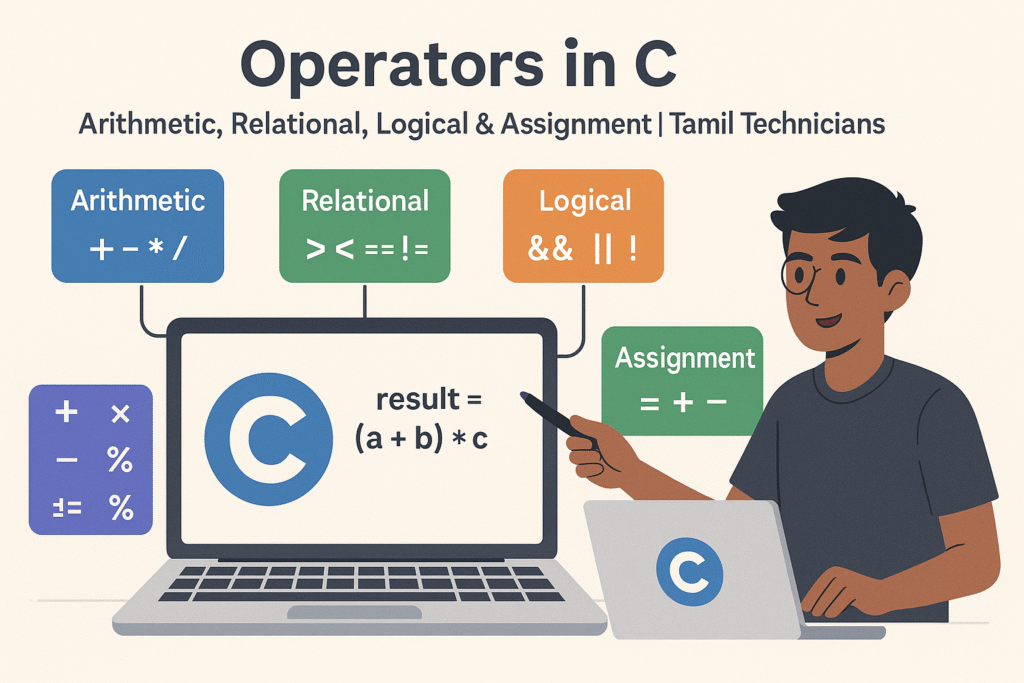
Suggested Featured Image Concept
Use this description in your AI image tool to create a thumbnail for this lesson:
- A big blue “C” logo in the middle on a laptop screen.
- Around it, four groups of symbols:
- “Arithmetic” with
+ - * / % - “Relational” with
> < == != - “Logical” with
&& || ! - “Assignment” with
= += -=
- “Arithmetic” with
- A Tamil technician pointing to a flow showing: Values → Operators → Result.
- Title text at the top: “Operators in C” and subtitle: “Arithmetic, Relational, Logical & Assignment | Tamil Technicians”.
FAQ: Operators in C
1. Which operators should a beginner focus on first?
Start with arithmetic (+ - * / %) and relational (> < == !=) operators,
then move to logical (&& || !) and assignment shortcuts (+= -= etc.).
These are enough for most beginner programs.
2. Why does 5 / 2 give 2 instead of 2.5 in C?
Because both 5 and 2 are integers, C performs integer division and discards the decimal part.
To get 2.5, use 5.0 / 2 or (float)5 / 2.
3. When should I use ++i and when i++?
In simple loops like for (i = 0; i < n; i++) both behave the same.
The difference matters only when you use the result in the same expression.
As a beginner, avoid mixing them in complex expressions.
4. Are logical operators only for integers?
Logical operators work with any expression that can be treated as true (non-zero) or false (zero).
In C, 0 is false and any non-zero value is true.

