
Tamil Technicians – C Programming Course · Lesson 4
Input & Output in C – printf(), scanf() Step-by-Step Guide
Almost every useful program needs to take input from the user and
show some output. In C, we do this mainly using two functions:
printf() and scanf().
In this lesson, we will see how they work, what format specifiers are, and common mistakes beginners make.
Output in C Using printf()
printf() is used to print text and values on the screen.
It is defined in the header file <stdio.h>.
Basic Syntax
printf("format string", values_if_any);Example – printing a simple message:
#include <stdio.h>

int main() {
    printf("Hello from Tamil Technicians!\\n");
    return 0;
}\\n is the newline character – it moves the cursor to the next line.
Format Specifiers – Showing Variable Values
To print variable values, we use format specifiers inside the string:
%d, %f, %c, etc.
They tell printf() which type of data we are printing.
| Data Type | Format Specifier | Example |
|---|---|---|
int |
%d |
printf("Age = %d", age); |
float |
%f / %.2f |
printf("Temp = %.2f", temp); |
double |
%lf / %.3lf |
printf("Value = %lf", value); |
char |
%c |
printf("Grade = %c", grade); |
String (char[]) |
%s |
printf("Name = %s", name); |
#include <stdio.h>

int main() {
    int age = 25;
    float temp = 32.75f;
    char grade = 'A';

    printf("Age = %d\\n", age);
    printf("Temperature = %.2f\\n", temp);
    printf("Grade = %c\\n", grade);

    return 0;
}
Input in C Using scanf()
scanf() reads values from the keyboard.
It also uses format specifiers, and we must pass the address of variables using &.
Basic Syntax
scanf("format string", &variable1, &variable2, ...);Example – reading one integer:
#include <stdio.h>

int main() {
    int age;

    printf("Enter your age: ");
    scanf("%d", &age);

    printf("You entered: %d\\n", age);
    return 0;
}scanf(), we almost always use & before variable names
(for int, float, double, etc.),
because scanf() needs the address where it should store the input.
Reading Multiple Values in One Line
You can read several values with one scanf() by giving multiple format specifiers.
#include <stdio.h>

int main() {
    int a, b;
    printf("Enter two integers: ");
    scanf("%d %d", &a, &b);

    printf("You entered %d and %d\\n", a, b);
    return 0;
}
When running this program, you can type:
10 20 and press Enter.
C will store 10 in a and 20 in b.
Input for char and Strings
Single Character (%c)
char option;

printf("Enter option (y/n): ");
scanf(" %c", &option);   // note space before %c
The space before %c tells scanf() to ignore leftover newline characters.
String (%s)
char name[30];

printf("Enter your name: ");
scanf("%29s", name);   // reads one word (no spaces)
%29s prevents overflow – max 29 characters + 1 for '\0'.
scanf("%s", name) reads only up to the first space.
For full sentences with spaces, we must use other functions (later topic).
Common Mistakes with printf() & scanf()
- Using wrong format specifier (e.g.,
%dforfloat). - Forgetting
&inscanf()(e.g.,scanf("%d", a);). - Not leaving space before
%cinscanf(), causing it to read the leftover newline. - Buffer overflow when using
%swith too-small arrays. - Missing
\\ninprintf(), causing output to appear in a single line.
If your program seems to skip an input or behaves strangely,
print intermediate values using printf() to see what was actually read.
Mini Example – Simple Billing Program
Let’s combine what we learned into a small real-life style example.
#include <stdio.h>

int main() {
    int quantity;
    float price, amount;

    printf("Enter quantity: ");
    scanf("%d", &quantity);

    printf("Enter price per item: ");
    scanf("%f", &price);

    amount = quantity * price;

    printf("Total amount = %.2f\\n", amount);

    return 0;
}
Quick Checklist for Input & Output Programs
- Did you include
#include <stdio.h>at the top? - Are the format specifiers correct for each variable type?
- Did you use
&inscanf()for non-string types? - Are you handling
charinput with a space before%cwhen needed? - Did you add
\\ninprintf()for neat output?
Suggested Featured Image Concept
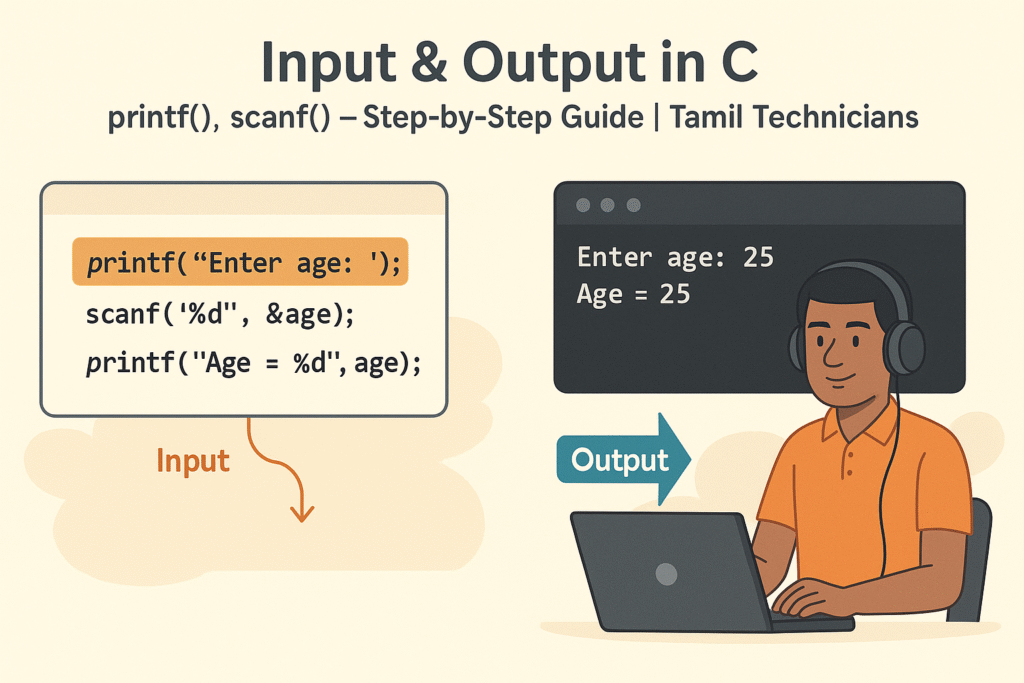
For the blog thumbnail, you can design an illustration like this:
- Split screen: left side shows a C code snippet with
printfandscanfhighlighted. - Right side shows a terminal window with “Enter age: 25” and “Age = 25” as output.
- A Tamil technician sitting with a laptop, pointing to input/output arrows between user and program.
- Top text: “Input & Output in C” and subtitle: “printf(), scanf() – Step-by-Step Guide | Tamil Technicians”.
FAQ: Input & Output with printf() and scanf()
1. Why do we need & in scanf() but not in printf()?
scanf() must store user input into variables, so it needs their address.
printf() only reads variable values, so it doesn’t need addresses.
2. Why does my program skip a character input?
Often this happens because a previous scanf() left a newline in the input buffer.
Using " %c" (space before %c) usually fixes this.
3. How do I read a full line with spaces?
scanf("%s", name) reads only up to the first space.
To read full lines, we can use functions like fgets() (covered in later lessons).
4. Can I use printf() without \\n?
Yes, but the output may look messy or stay in the buffer until flushed.
Adding \\n is a good habit for clear console output.

